# How to Import a wallet on Octo?&#x20;

The Octo Wallet allows users to generate a brand new wallet or import an existing one through a 12-words seed phrase. This means that users can easily transfer their assets from other wallets to the Octo Wallet within just a few simple steps.&#x20;

The Octo Wallet will support at launch not only SOL, but also $OTK and The Octos NFTs.  The wallet plan to add more tokens and NFTs from partners in the future

## How to Import a wallet on Octo?&#x20;

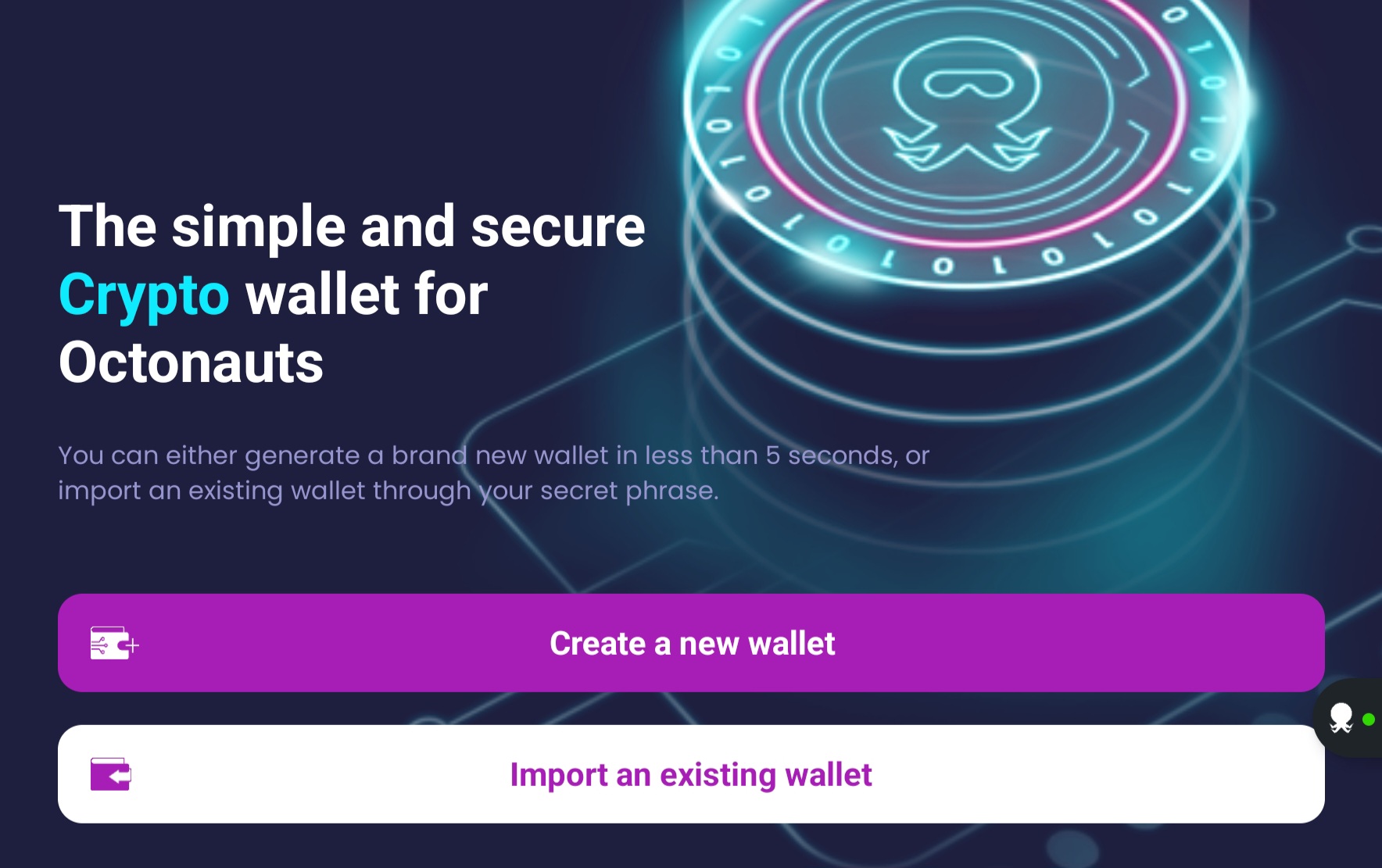
1\) Click on "Import an existing wallet". Be ready to enter your seed phrase in the process.

<figure><img src="https://3203528035-files.gitbook.io/~/files/v0/b/gitbook-x-prod.appspot.com/o/spaces%2F3mBtsEtM4YSoKRm7pWWc%2Fuploads%2FbMSEK22qj5uyGJDsqSzx%2FScreenshot_20230126_152910_OctoDev.jpg?alt=media&#x26;token=1ecb2279-b720-4615-8d87-511a515950eb" alt=""><figcaption></figcaption></figure>

2\) Set your pin code for security

<figure><img src="https://3203528035-files.gitbook.io/~/files/v0/b/gitbook-x-prod.appspot.com/o/spaces%2F3mBtsEtM4YSoKRm7pWWc%2Fuploads%2FYMHmTlArPlV6MpcSTFO3%2FScreenshot_20230126_152922_OctoDev.jpg?alt=media&#x26;token=54ca84b1-bebf-43c8-a7e1-3ceab920d687" alt=""><figcaption></figcaption></figure>

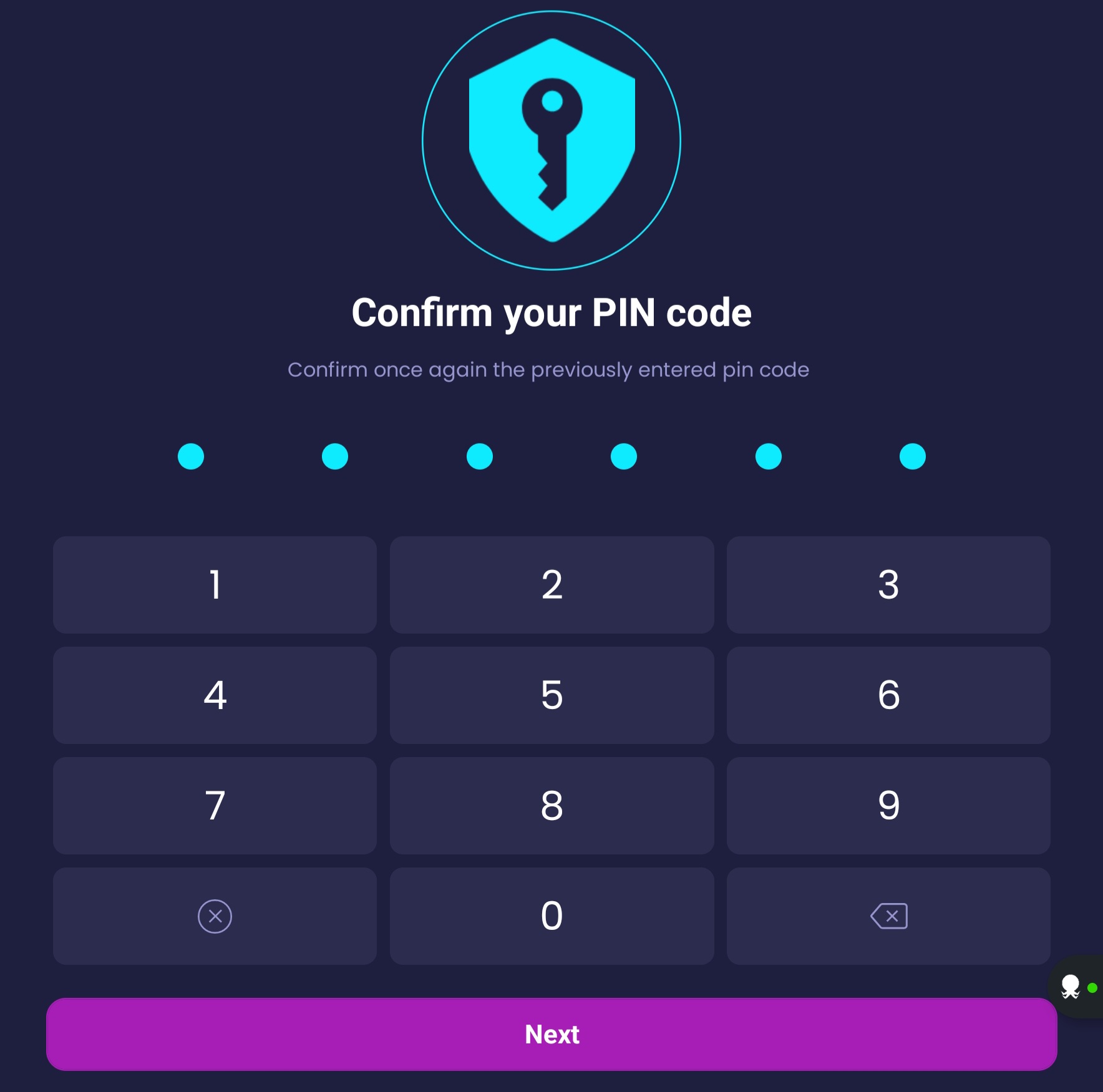
3\) Confirm the pin code you previously entered&#x20;

<figure><img src="https://3203528035-files.gitbook.io/~/files/v0/b/gitbook-x-prod.appspot.com/o/spaces%2F3mBtsEtM4YSoKRm7pWWc%2Fuploads%2FuGvxRHEtikLnLH1gBRCy%2FScreenshot_20230126_152937_OctoDev.jpg?alt=media&#x26;token=74696b14-74cc-4445-ace3-093d04845ee5" alt=""><figcaption></figcaption></figure>

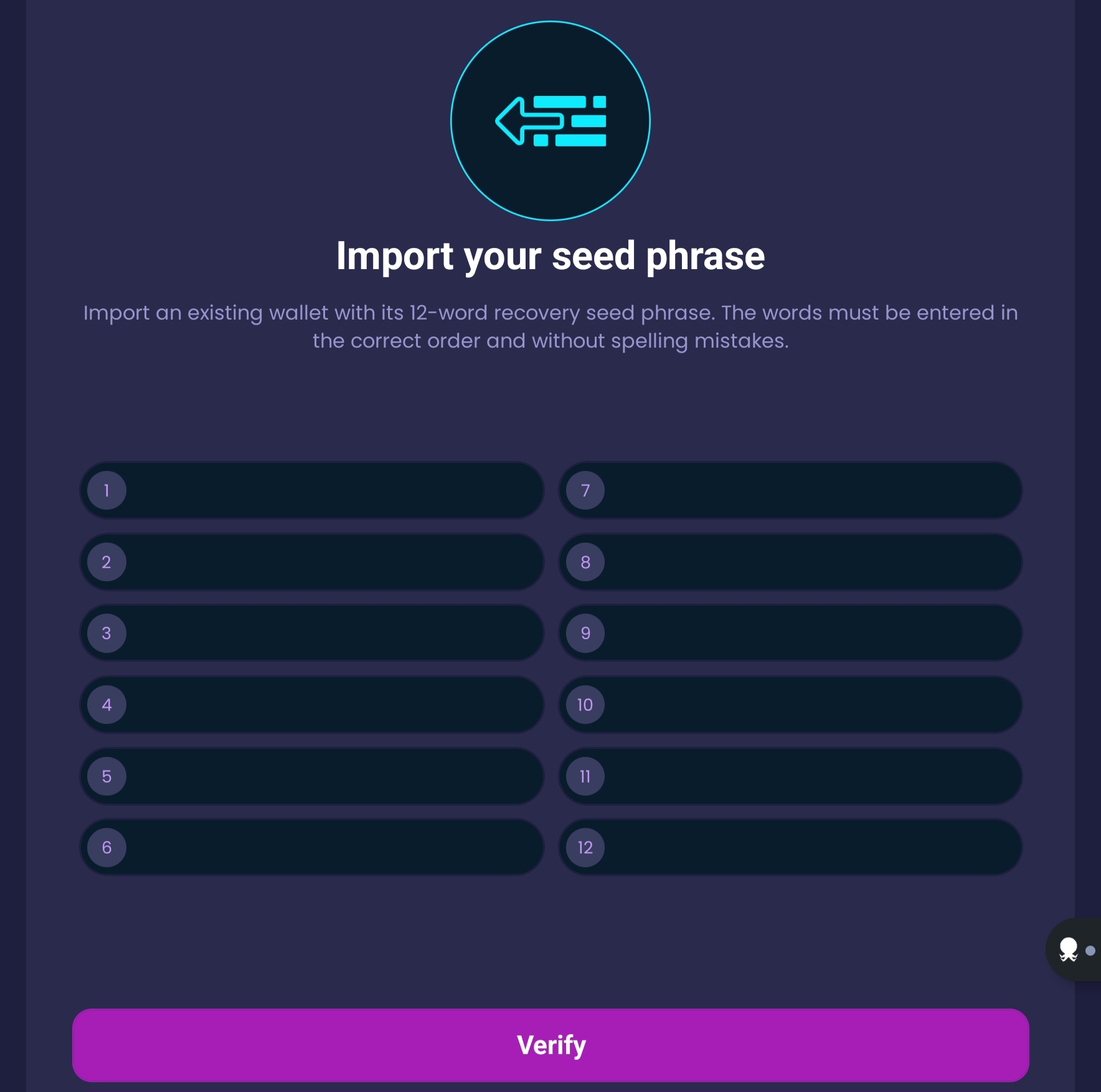
4\) Enter your 12 seed-words correctly and in the right order, then click on "Import wallet".

<figure><img src="https://3203528035-files.gitbook.io/~/files/v0/b/gitbook-x-prod.appspot.com/o/spaces%2F3mBtsEtM4YSoKRm7pWWc%2Fuploads%2FgM32ZrWfnCoe3rfqetSL%2FScreenshot_20230126_155230_OctoDev.jpg?alt=media&#x26;token=64971958-219e-4cdb-9400-9f52b5645325" alt=""><figcaption></figcaption></figure>

5\) If you entered properly your 12 words, you will arrive on this screen. Wait few seconds.

<figure><img src="https://3203528035-files.gitbook.io/~/files/v0/b/gitbook-x-prod.appspot.com/o/spaces%2F3mBtsEtM4YSoKRm7pWWc%2Fuploads%2FDQCrDFWh0wnI1aElw6mk%2FScreenshot_20230126_152944_OctoDev.jpg?alt=media&#x26;token=926614a2-db32-43a2-a055-7a3edb2efc7f" alt=""><figcaption></figcaption></figure>

6\) Congrats, your wallet is successfully imported! Click on "Next" to visualize your wallet home page.&#x20;

<figure><img src="https://3203528035-files.gitbook.io/~/files/v0/b/gitbook-x-prod.appspot.com/o/spaces%2F3mBtsEtM4YSoKRm7pWWc%2Fuploads%2FWCkTd3L5rvsLL4Hnw7Nx%2FScreenshot_20230126_152955_OctoDev.jpg?alt=media&#x26;token=acadd60e-663a-4f4b-b48f-a657bb6cac5e" alt=""><figcaption></figcaption></figure>